
A microwave oven is one of the most convenient appliances in a modern kitchen. Whether you use it to heat leftovers, prepare quick meals, or warm a cup of coffee, it can be frustrating when it suddenly stops working.
If your microwave won’t turn on, the problem could be something simple, such as a loose power plug, a faulty electrical outlet, or a tripped circuit breaker. However, it may also indicate a problem with the door safety system, internal fuse, control board, or another electrical component.
The good news is that you can perform several basic troubleshooting checks without opening the appliance.
Important electrical safety warning: Never open a microwave cabinet to investigate an internal fault. Microwaves contain high-voltage components that can retain a dangerous electrical charge even after the appliance has been unplugged. Internal repairs must be performed by a qualified appliance technician.
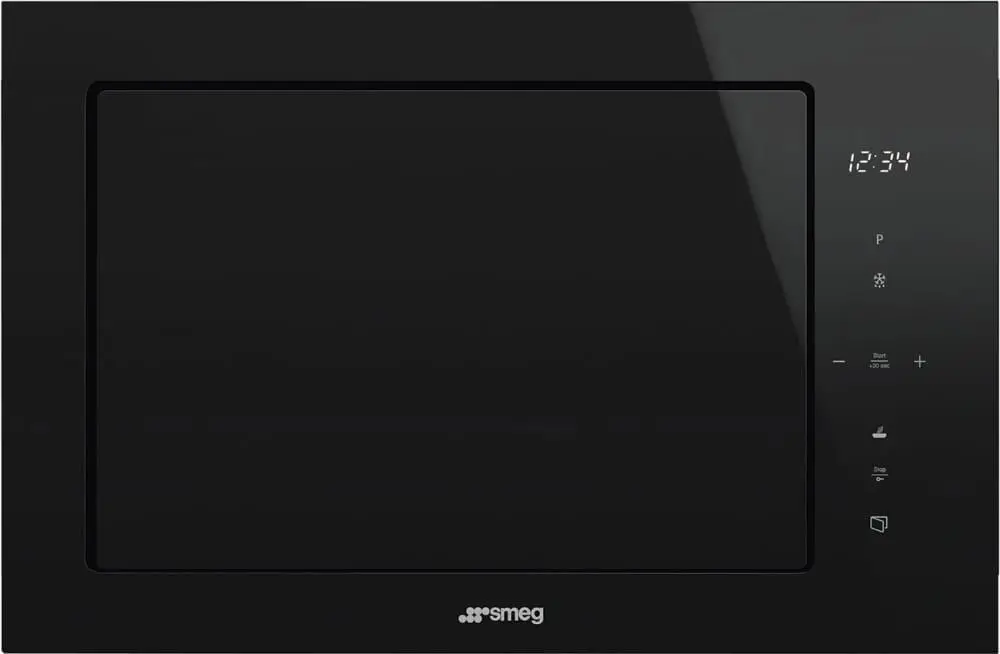
In this guide, you’ll learn how to fix a microwave that won’t turn on by checking common external problems, identifying possible causes, and understanding when professional repair is necessary.
Why Is My Microwave Not Turning On?
Before attempting any troubleshooting, it’s important to understand what might be causing the problem.
A microwave that doesn’t turn on may have a power supply issue, a damaged component, or a safety mechanism preventing operation.
Here are some common causes.
1. Loose or Disconnected Power Plug
Sometimes, the microwave plug becomes partially disconnected from the electrical outlet. This interrupts the power supply and may cause the display to go blank.
2. Faulty Electrical Outlet
An outlet may stop supplying electricity because of damaged wiring, a faulty connection, or another electrical issue.
If other appliances also fail to work when connected to the same outlet, the outlet may need professional inspection.
3. Tripped Circuit Breaker
Microwaves require an appropriate electrical supply. An overloaded circuit or electrical fault can cause the circuit breaker to trip.
When this happens, the microwave may suddenly lose power.
4. Damaged Power Cord
A damaged microwave power cord can interrupt the electrical supply and create a potential fire or shock hazard.
Look for visible cuts, cracks, exposed wires, melted insulation, or burn marks.
Never use a microwave with a damaged power cord.
5. Microwave Door Not Closing Properly
Microwaves have safety mechanisms that prevent operation when the door is not properly closed.
Food debris, a damaged latch, or door misalignment may prevent the door from closing correctly.
6. Defective Door Interlock Switch
A door interlock switch is part of the microwave’s safety system.
If this mechanism develops a fault, the microwave may refuse to start even when the door appears to be closed.
This problem requires professional inspection.
7. Blown Internal Fuse
An internal fuse helps protect the microwave’s electrical system.
If the fuse blows, the microwave may stop receiving power. However, a blown fuse can be a symptom of another electrical problem rather than the original cause.
Never open the microwave to locate or replace an internal fuse.
8. Control Board or Other Internal Electrical Failure
The control board manages several microwave functions, including the display, buttons, and operating cycles.
An internal electrical fault may prevent the microwave from powering on or responding correctly.
Only a qualified technician should diagnose internal electrical components.
9. Overheating or Thermal Protection
Some microwave models include thermal protection that temporarily interrupts operation if the appliance becomes too hot.
Blocked ventilation openings or repeated heavy use may contribute to overheating.
Check the manufacturer’s instructions for model-specific guidance.
How to Fix a Microwave That Won’t Turn On: 8 Safe Troubleshooting Steps
Before starting, stop using the microwave immediately if you notice smoke, sparks, a burning smell, unusual electrical noises, or a hot or damaged plug or outlet.
Never attempt to troubleshoot internal components.
1. Check the Microwave Power Connection
A loose power connection is one of the simplest things to check when a microwave suddenly stops working.
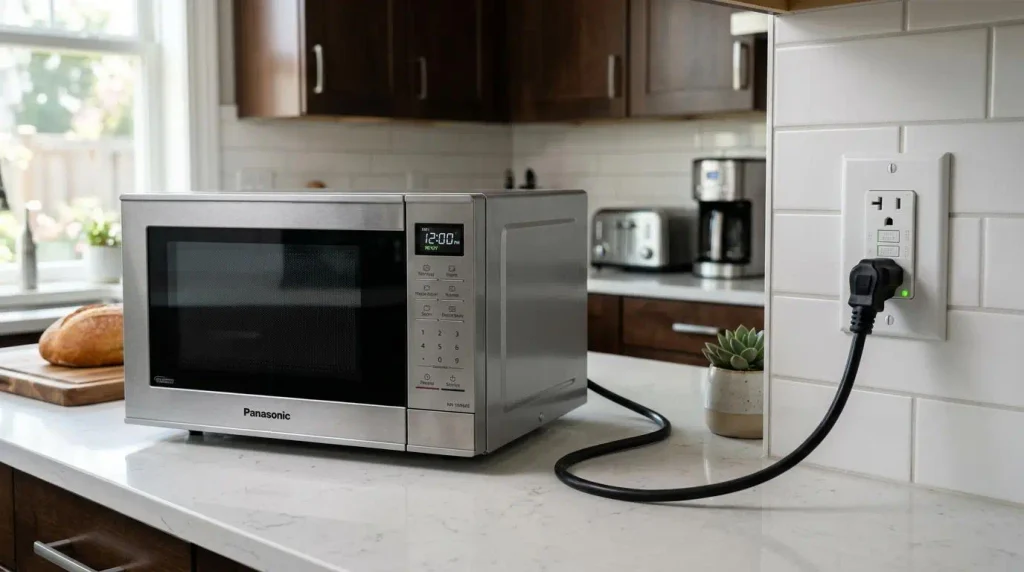
Follow these steps:
- Make sure the microwave is switched off.
- If it is safe, check whether the power plug is fully inserted into the electrical outlet.
- Look for visible damage around the plug and cable.
- Check whether the connection appears loose or unusually hot.
- Stop using the appliance if you notice exposed wires, melted insulation, or burn marks.
Never repair or replace a damaged microwave power cord yourself unless you are qualified to perform the work.
If the connection appears damaged, arrange professional appliance service.
2. Test the Electrical Outlet Safely
A microwave may appear completely dead when the actual problem is a faulty electrical outlet.
You can perform a basic external check.
- Switch off the microwave.
- Unplug it if the plug and outlet are safe to handle.
- Look for cracks, discoloration, burn marks, or other visible outlet damage.
- If the outlet looks normal, test it with a known-working, low-power appliance, provided this can be done safely.
- If the other appliance also fails to work, contact a qualified electrician.
Never insert metal objects, screwdrivers, or other tools into an electrical outlet.
Avoid using extension cords or power strips as a workaround unless the microwave manufacturer specifically permits them.
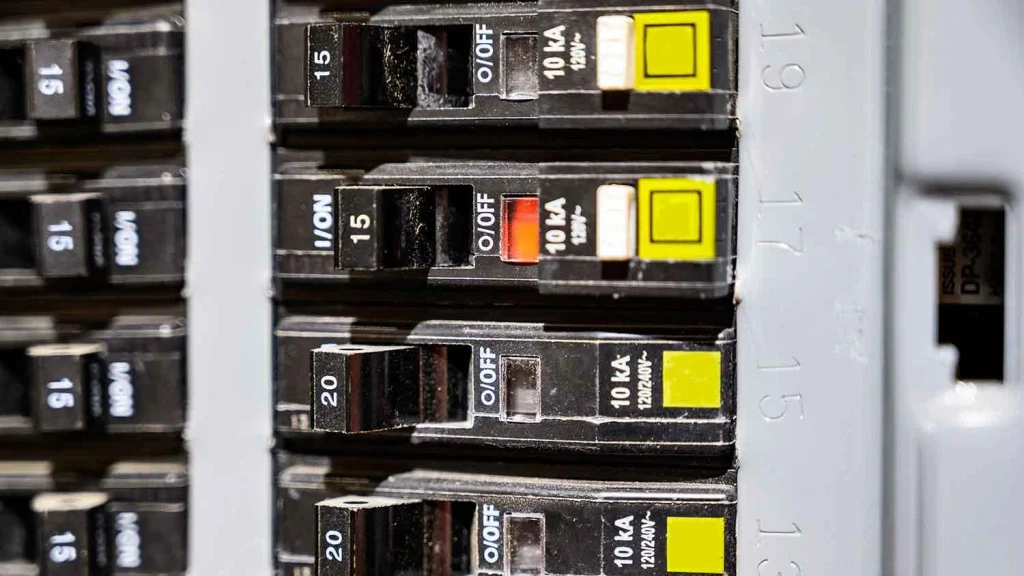
3. Check the Circuit Breaker
A tripped circuit breaker can cause a microwave to lose power unexpectedly.
You can also consult official microwave no-power troubleshooting guidance from Whirlpool for additional model-specific information.
A circuit breaker is a safety device that interrupts electricity when it detects an electrical problem or excessive current.
Here’s what to do:
- Locate your home’s electrical breaker panel.
- Check whether the circuit breaker supplying the microwave has moved to the tripped position.
- If there are no warning signs and you can safely identify the correct breaker, follow the panel manufacturer’s instructions for resetting it.
- If the breaker trips again, stop resetting it.
- Contact a qualified electrician to investigate the cause.
Important: Repeatedly resetting a tripping breaker can expose your home to electrical hazards. The underlying problem must be identified before using the circuit again.
4. Inspect the Microwave Power Cord
A damaged power cord may prevent your microwave from receiving electricity.
For additional information about electrical hazards, read electrical plug and power cord safety advice from Electrical Safety First.
With the microwave switched off and unplugged, if safe, visually inspect the accessible cable.
Look for:
- Cuts or cracks in the outer insulation.
- Exposed electrical wires.
- Melted or discoloured insulation.
- Burn marks around the plug.
- Unusual heat or damage near the connection.
Never touch exposed conductors or attempt to tape over damaged wiring.
If you find any damage, stop using the microwave and arrange an approved replacement through the manufacturer or a qualified technician.
5. Make Sure the Microwave Door Is Closing Properly
Microwave ovens have door safety interlocks that prevent operation when the door is not correctly closed.
If the microwave door does not close properly, the appliance may refuse to start.
Check the following:
- Open the microwave door.
- Look for food particles or debris around the door edges and latch area.
- Clean accessible surfaces using a soft, slightly damp cloth.
- Check whether the door closes normally without excessive force.
- Look for visible damage or misalignment around the latch.

If the door remains loose, does not latch correctly, or the microwave continues to refuse operation, contact a qualified repair technician.
Never bypass, disable, or tamper with microwave door safety switches.
6. Allow the Microwave to Cool Down
Some microwave models include thermal protection that temporarily stops operation if the appliance becomes too hot.
If your microwave stopped working after repeated use, overheating may be worth considering.
Try these safe checks:
- Switch off the microwave.
- Unplug it if it is safe to do so.
- Allow it to cool according to the manufacturer’s instructions.
- Check that external ventilation openings are not blocked by objects, dust, or surrounding items.
- Follow the owner’s manual before using it again.
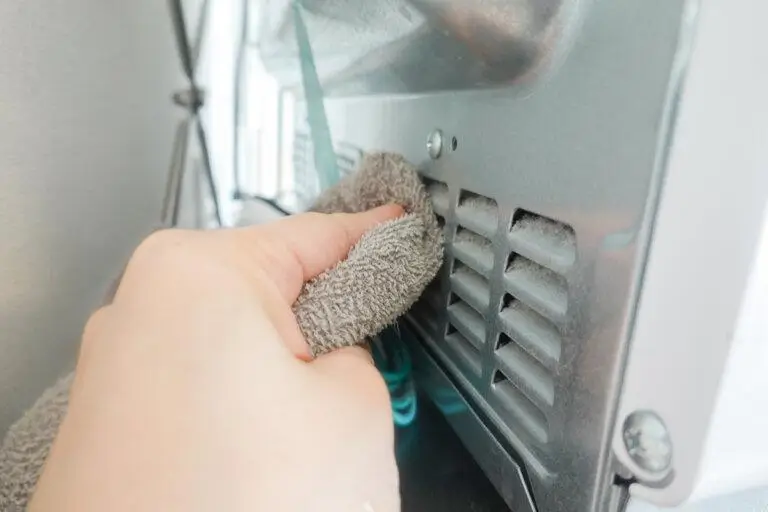
If the microwave repeatedly overheats or stops working, arrange professional inspection instead of continuing to use it.
7. Understand When an Internal Fuse May Be Blown
An internal fuse is an electrical safety component designed to interrupt current when certain faults occur.
For more information about the dangers of opening a microwave, read the microwave repair safety guidelines published by the U.S. Consumer Product Safety Commission (CPSC).
If a microwave has a completely blank display and does not respond to any controls, an internal fuse failure is one possible explanation.
However, a blown fuse does not necessarily mean the fuse itself is the original problem.
Another internal electrical fault may have caused it to fail.
Keep these safety rules in mind:
- Do not open the microwave cabinet.
- Do not attempt to locate or replace an internal fuse.
- Never access the high-voltage capacitor.
- Do not perform internal electrical testing.
- Do not assume unplugging the microwave makes its internal components safe.
The U.S. Consumer Product Safety Commission warns consumers about the electrocution hazards associated with DIY microwave repairs.
Contact a qualified microwave repair technician for diagnosis.
8. Consider a Control Board or Other Internal Fault
If your microwave still does not turn on after checking the power supply, outlet, circuit breaker, and door, an internal electrical problem may be responsible.
Possible faults include:
- Control board failure.
- Internal wiring problems.
- Faulty electrical connections.
- Failed internal safety components.
- Other component-related electrical faults.
A defective control board may cause a blank display, unresponsive buttons, or unusual operating behaviour.
However, these symptoms alone cannot confirm which component has failed.
Avoid attempting internal repairs. A qualified technician can inspect the appliance, identify the actual problem, and explain the available repair options.
What If the Microwave Has Power but Still Won’t Start?
A microwave that has power but refuses to start is different from one with a completely blank display.
If the display lights up, the clock works, or the control panel responds, electricity is reaching at least some of the appliance’s systems.
The problem may involve the controls, door safety system, or operating settings.
Here are some situations to consider.
Display Works but the Start Button Does Nothing
If the display works but pressing Start does not begin cooking, possible causes include:
- Activated control lock.
- An incorrect operating sequence.
- An unresponsive control panel.
- A faulty door interlock system.
- An internal control fault.
Check the owner’s manual for the correct operating procedure and control-lock settings.
Microwave Light Turns On but Cooking Does Not Begin
If the interior light turns on when you open the door but the microwave refuses to start, the door safety system or controls may require inspection.
A working light does not prove that all the electrical components are functioning correctly.
Door Appears Closed but the Microwave Will Not Operate
A door that looks closed may not be engaging its safety interlock correctly.
Check for visible debris, latch damage, or misalignment.
If the problem continues, arrange professional service.
Buttons Are Not Responding
An activated child lock or control lock can prevent normal operation on some microwave models.
Consult the owner’s manual for the correct unlocking instructions.
Do not repeatedly press buttons or attempt undocumented reset sequences.
Microwave Troubleshooting: Symptoms and Possible Causes
The following table can help you understand what might be happening when your microwave stops working.
| Microwave symptom | Possible cause | Safe action |
|---|---|---|
| Completely blank display | Power supply issue or internal fault | Check the plug and outlet safely |
| Microwave has no power | Tripped breaker, faulty outlet, internal fuse | Check external power supply |
| Display works but microwave won’t start | Control lock, door interlock, control fault | Check manual and door closure |
| Circuit breaker trips repeatedly | Electrical fault or overloaded circuit | Stop resetting and call an electrician |
| Microwave stops after overheating | Thermal protection or another fault | Switch off and allow cooling as directed |
| Door closes but operation is prevented | Door latch or interlock problem | Check visible obstruction and seek service |
| Buttons do not respond | Control lock or control panel fault | Consult the owner’s manual |
Remember: These are possible explanations, not confirmed diagnoses. The actual cause depends on the microwave model and its symptoms.
When Should You Call a Professional Microwave Repair Technician?
Not every microwave problem can be fixed through basic troubleshooting.
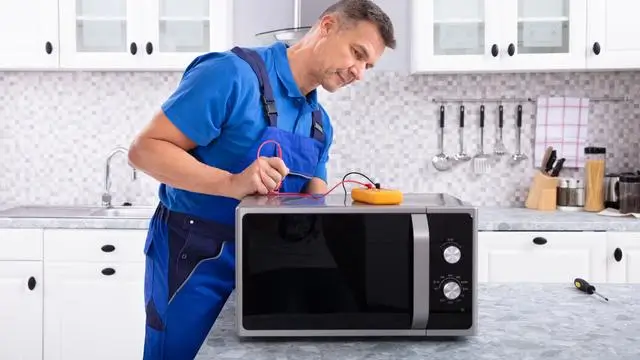
Some faults require specialized equipment, technical knowledge, and safe handling of electrical components.
Contact a qualified appliance technician if:
- You notice smoke or a burning smell.
- The microwave produces sparks or unusual electrical sounds.
- The power cord or plug is damaged.
- The microwave remains completely dead after safe external checks.
- The circuit breaker repeatedly trips.
- You suspect an internal fuse has blown.
- The door interlock system is not working correctly.
- The control board or internal wiring may be faulty.
- The repair requires opening the microwave cabinet.
If you suspect a problem with the household outlet or electrical wiring, contact a qualified electrician instead.
Never attempt internal microwave repairs simply because a troubleshooting video makes the process look easy.
Is It Worth Repairing a Microwave or Should You Replace It?
If your microwave stops working, you may wonder whether repairing it is worthwhile or whether buying a replacement is a better decision.
The answer depends on several factors.
1. Age of the microwave
Consider the age and overall condition of your appliance. An older microwave with several problems may not be a practical repair investment.
2. Estimated repair cost
Ask a technician for a professional diagnosis and repair estimate before making a decision.
3. Availability of replacement parts
Some older or discontinued microwave models may have limited replacement-part availability.
4. Warranty coverage
Check whether your microwave is still covered by the manufacturer’s warranty or an extended service agreement.
5. Replacement cost
Compare the estimated repair cost with the price of a suitable new microwave.
6. Safety and reliability
If the appliance has experienced repeated electrical faults, safety should be a priority.
Ultimately, compare the repair estimate, warranty coverage, appliance condition, and replacement options before deciding.
How to Prevent Microwave Power Problems
Although electrical failures cannot always be prevented, proper use and maintenance can help reduce avoidable problems.
Regular cleaning and proper care can also help maintain other kitchen appliances, such as a gas stove. Learn more in our guide on kitchen appliance cleaning and maintenance.
Here are some practical tips.
- Use an appropriate electrical outlet: Follow the microwave manufacturer’s electrical requirements.
- Protect the power cord: Avoid bending, crushing, or pulling the cable.
- Keep ventilation openings clear: Allow sufficient space around the microwave as specified by the manufacturer.
- Clean the door area: Remove food debris that could interfere with proper door closure.
- Close the door gently: Avoid slamming or forcing the microwave door.
- Avoid overloading the appliance: Follow the manufacturer’s operating instructions.
- Clean regularly: Use approved cleaning methods and avoid allowing liquids to enter electrical openings.
- Watch for warning signs: Stop using the appliance if you notice unusual smells, sounds, sparks, or electrical problems.
Regular maintenance helps, but it cannot prevent every internal electrical failure.
Frequently Asked Questions About Microwaves That Won’t Turn On
1. Why is my microwave not turning on at all?
A microwave may stop turning on because of a loose power connection, faulty outlet, tripped circuit breaker, damaged power cord, blown internal fuse, or another electrical fault. Start with safe external checks and contact a technician if the problem continues.
2. Why is my microwave display completely blank?
A blank display may indicate a power supply problem or an internal electrical failure. Check the outlet, plug, and circuit breaker safely. If these appear normal but the display remains blank, arrange professional inspection.
3. Can a blown fuse stop a microwave from turning on?
Yes. A blown internal fuse can interrupt the microwave’s electrical supply and cause the appliance to stop working. However, another fault may have caused the fuse to blow. Internal fuse inspection and replacement should be left to a qualified technician.
4. How do I reset a microwave that won’t turn on?
Some microwave models can be reset by following the manufacturer’s power-reset instructions. If the plug and outlet are safe, you may switch the appliance off and disconnect it from power before following the model-specific instructions. Never use a reset as a substitute for investigating repeated electrical faults.
5. Can a faulty microwave door switch prevent it from starting?
Yes. Microwave door interlock switches are part of the appliance’s safety system. If one fails, the microwave may refuse to operate even when the door appears closed. A qualified technician should inspect and repair the mechanism.
6. Why does my microwave have power but won’t start?
Possible causes include an activated child lock, an operating-setting issue, a faulty door interlock, an unresponsive control panel, or an internal electrical fault. Check the owner’s manual for model-specific instructions.
7. Can a tripped circuit breaker cause microwave power problems?
Yes. A tripped circuit breaker can interrupt the electrical supply to your microwave. If the breaker trips again after an appropriate reset, stop resetting it and contact a qualified electrician.
8. Is it safe to repair a microwave at home?
Basic external checks, such as inspecting the plug and checking the door closure, can be performed safely when appropriate. However, opening the microwave cabinet or handling internal electrical components is dangerous. Internal repairs should be performed by a qualified technician.
9. How do I know if my microwave needs professional repair?
Professional repair may be necessary if the microwave remains completely dead, the circuit breaker repeatedly trips, the door safety system fails, or you suspect an internal electrical fault. Stop using it immediately if you notice smoke, sparks, or burning smells.
10. Should I repair or replace a microwave that won’t turn on?
Compare the appliance’s age, condition, warranty, professional repair estimate, and replacement cost. A technician can help determine whether repair is practical or replacement is a better option.
Conclusion
A microwave that suddenly stops working can be frustrating, but the problem is not always a serious one.
Common causes include a loose power plug, faulty electrical outlet, tripped circuit breaker, damaged power cord, improperly closed door, or an internal electrical fault.
When learning how to fix a microwave that won’t turn on, always begin with safe external troubleshooting. Check the power connection, outlet, circuit breaker, door closure, and external ventilation according to the manufacturer’s instructions.
Remember that internal fuses, capacitors, control boards, and electrical components can present serious hazards. Never open the microwave cabinet or attempt internal repairs yourself.
When basic checks do not resolve the issue, contact a qualified appliance repair technician.
For more practical kitchen troubleshooting, appliance maintenance, and DIY home repair advice, explore more helpful guides on Fix The Annoying.