
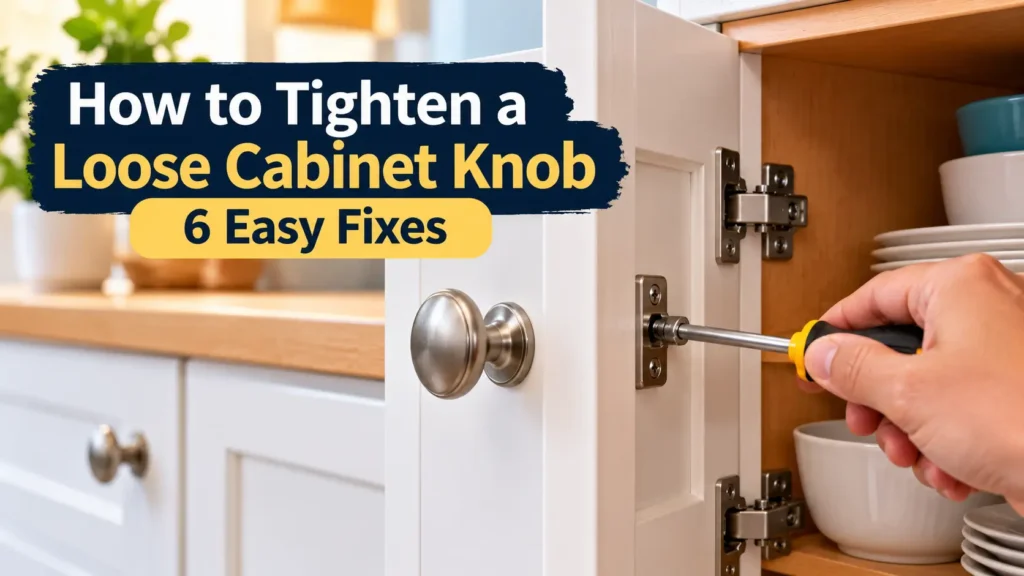
A loose cabinet knob can wobble, spin, or pull away from a cabinet door or drawer during everyday use. If you’re wondering how to tighten a loose cabinet knob, start by checking the mounting screw and the condition of the knob.
In many cases, gently tightening the existing screw is enough. If the knob keeps coming loose, the problem may involve an unsuitable screw, missing washer, damaged threads, or an enlarged mounting hole.
In this guide, you’ll learn six practical ways to fix a loose cabinet knob, identify the cause, and decide when replacing the hardware is the better option.
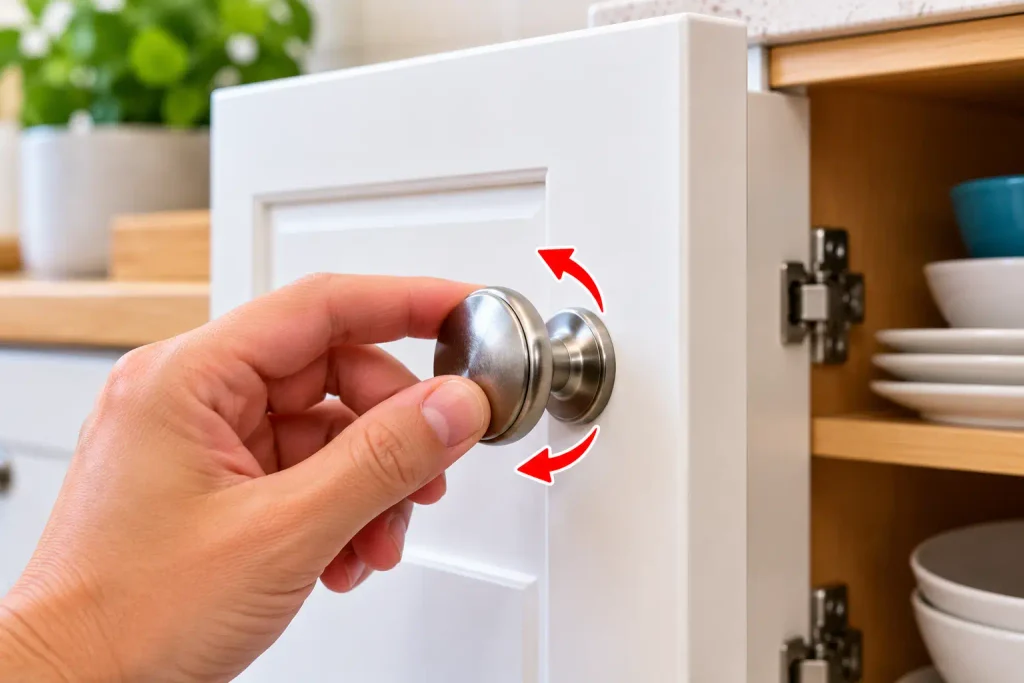
Why Does a Cabinet Knob Become Loose?
Before repairing the knob, try to identify the cause. Common reasons include:
- Loose mounting screw: Everyday use can gradually loosen the screw holding the knob in place.
- Incorrect screw length: A screw that is too long may prevent the knob from sitting firmly against the cabinet.
- Worn or damaged threads: The screw or the threaded opening inside the knob may no longer hold securely.
- Missing washer or spacer: Some hardware designs need a washer or spacer to fit correctly.
- Damaged cabinet material: The mounting area may be cracked or worn, especially if the knob has been pulled repeatedly.
- Damaged knob: A cracked knob or damaged internal fitting may not stay secure even after tightening.
Identifying the cause first helps you avoid replacing hardware unnecessarily.
Tools and Materials You May Need
Gather these items before starting:
- Phillips or flathead screwdriver that matches the screw
- Small tray or container for loose screws
- Replacement screw that matches the original, if needed
- Compatible washer or spacer, if required by the hardware design
- Replacement cabinet knob, if the existing one is damaged
- Soft cloth to protect the cabinet finish
You may not need everything on this list. Start with the existing screw and knob before purchasing replacement parts.
How to Tighten a Loose Cabinet Knob: 6 Easy Fixes
Fix 1: Tighten the Existing Screw
This is the simplest fix when the knob is loose but the screw and mounting area are still in good condition.
- Open the cabinet door or drawer.
- Find the mounting screw on the inside.
- Hold the knob steady from the outside.
- Use the correctly sized screwdriver to tighten the screw gradually.
- Stop when the knob feels secure and sits properly against the cabinet surface.
Do not overtighten the screw. Excessive force can damage the screw head, strip the threads, or crack delicate knobs and cabinet materials.
For additional guidance, check the manufacturer’s cabinet hardware installation instructions and follow the recommendations for your specific knob and mounting hardware.
After tightening, gently test the knob. If it still wobbles or the screw keeps turning without becoming secure, move to the next fix.
Fix 2: Check Whether the Screw Is Too Long
Sometimes the screw is in good condition but cannot pull the knob firmly against the cabinet door.
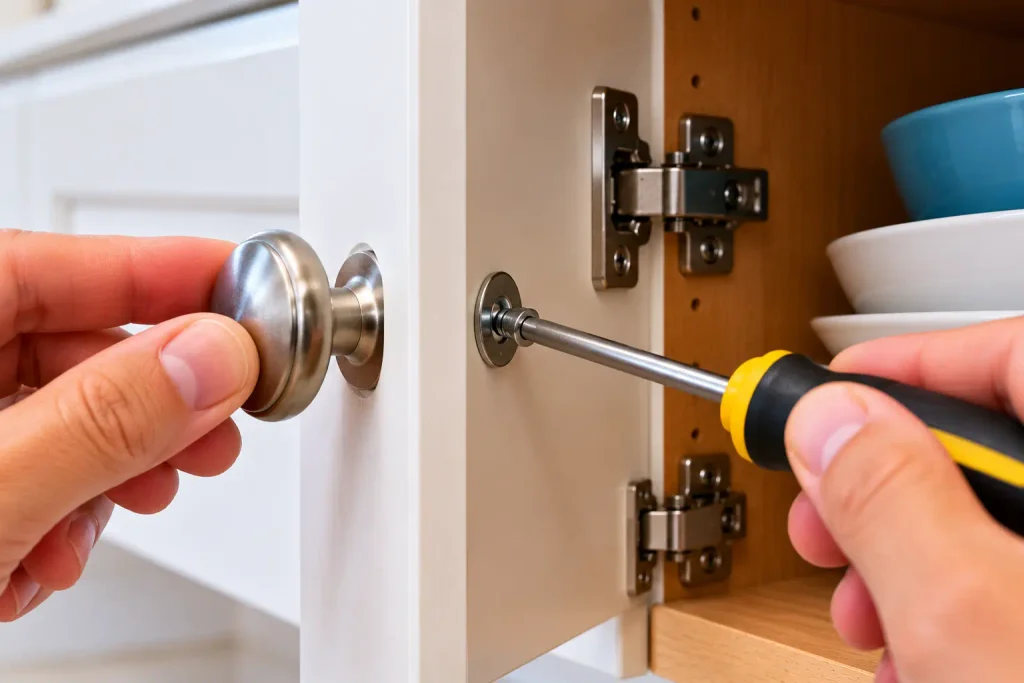
- Support the knob from the outside.
- Carefully remove the mounting screw.
- Compare the screw length with the thickness of the cabinet door and the knob’s mounting design.
- Check whether the screw reaches the knob’s threaded opening correctly.
- If the screw is unsuitable, obtain a compatible replacement with the correct diameter, thread, and length.
Do not choose a replacement based on length alone. The screw must match the knob’s threading and mounting arrangement.
Reinstall the knob and tighten the screw gently. If the knob still does not sit securely, inspect the threads and mounting components.
Fix 3: Check for a Missing or Unsuitable Washer
Some cabinet knobs or pulls use washers or spacers as part of their mounting arrangement. If a required component is missing or incorrectly fitted, the hardware may not tighten properly.
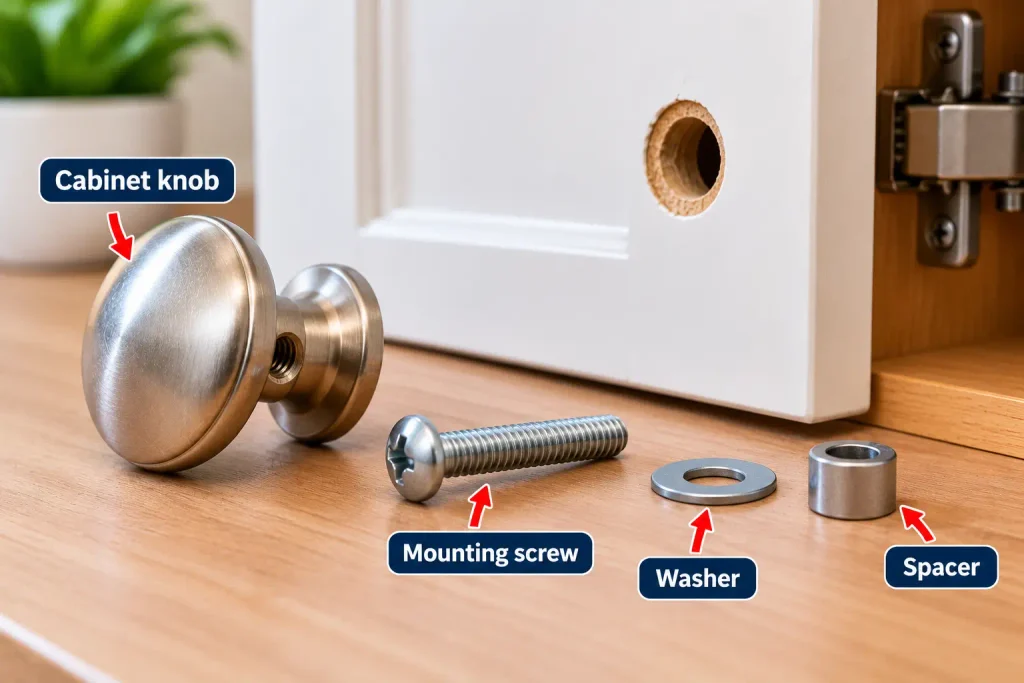
To check:
- Remove the screw while holding the knob.
- Inspect the original hardware for washers or spacers.
- Compare the arrangement with the manufacturer’s installation instructions, if available.
- Replace missing or damaged components with compatible parts.
- Reinstall the knob and tighten it gradually.
A washer may help when a compatible mounting arrangement leaves excess space, but it will not repair damaged threads. Avoid stacking washers randomly or adding parts that prevent the screw from engaging securely.
Fix 4: Inspect the Screw and Knob Threads
If the screw turns continuously without tightening, the problem may involve damaged threads rather than a simple loose screw.
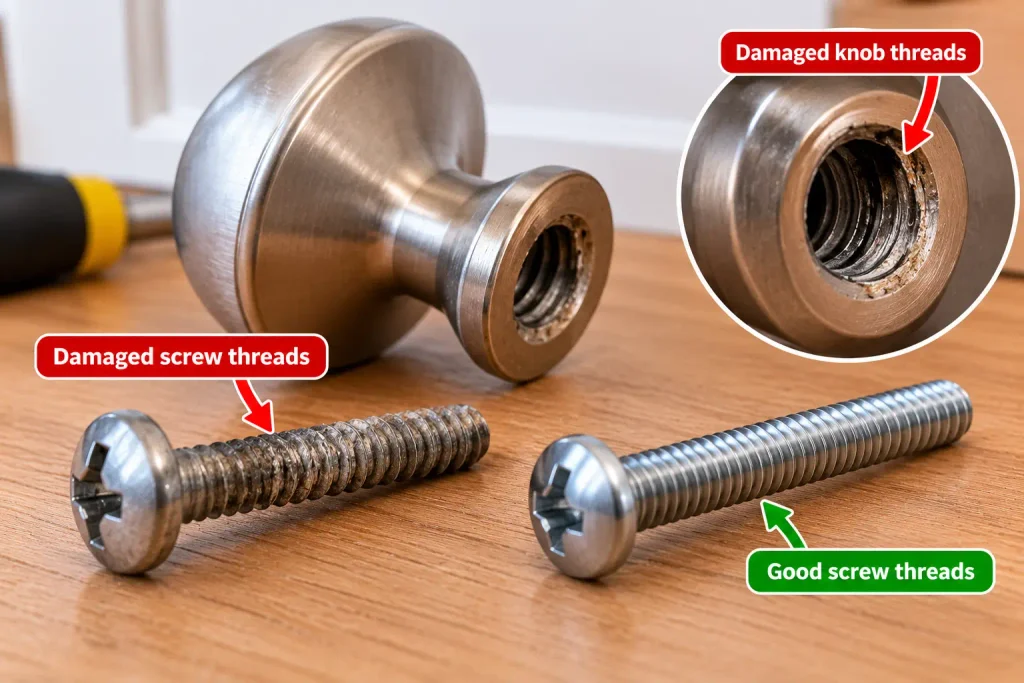
Remove the knob carefully and inspect:
- The screw threads for visible wear, deformation, or damage
- The threaded opening inside the knob
- The screw head for damage that prevents proper screwdriver engagement
- The knob body for cracks or loose internal fittings
If the screw is damaged but the knob’s threads remain in good condition, replace the screw with a compatible one.
If the knob’s threaded opening is damaged, replacing the knob is often the more reliable option. Do not force a screw into damaged threads, as this can make the problem worse.
Fix 5: Repair a Damaged Mounting Area
If the screw no longer holds because the cabinet material around the mounting hole is damaged, tightening it repeatedly is unlikely to solve the problem.
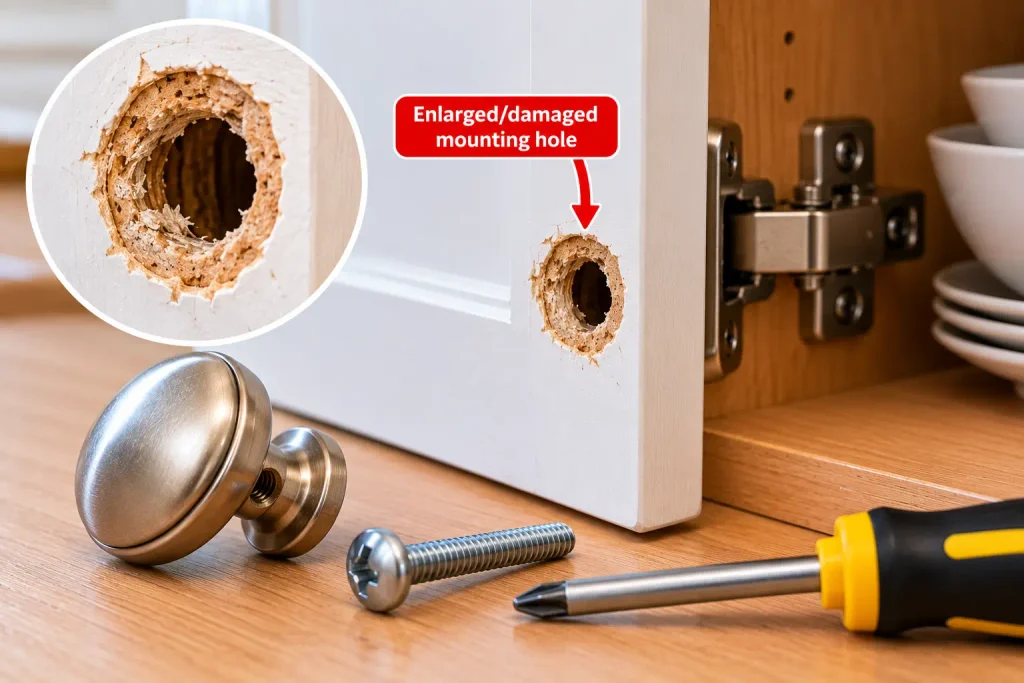
First, determine how the knob is attached. Some knobs use a machine screw threaded into the knob, while other hardware may use a different mounting arrangement.
Before repairing the mounting hole, check how the knob is secured. If a machine screw threads directly into the knob, repairing the cabinet hole alone may not solve the problem. If the screw passes through an enlarged hole in the cabinet material, the repair must restore a suitable mounting fit without damaging the door or drawer. Choose a method appropriate for the material, and replace badly damaged hardware when a secure repair is not practical.
For a mounting hole in wood that has become enlarged or damaged:
- Remove the knob and inspect the damaged area.
- Check whether the cabinet material is solid wood, plywood, particleboard, or another material.
- Choose a repair method suitable for that specific material and mounting design.
- Allow any repair product to cure fully according to its instructions.
- Reinstall the knob only when the mounting area can hold the hardware securely.
Do not assume that wood glue or a wooden plug is appropriate for every cabinet. Particleboard, laminated surfaces, and damaged composite materials may need a different repair or a replacement mounting solution.
If the cabinet surface is badly cracked or crumbling, consider getting help from a cabinet repair professional.
Fix 6: Replace a Damaged Cabinet Knob
If the knob is cracked, its threads are damaged, or it repeatedly comes loose despite correct installation, replacing it may be the simplest long-term solution.
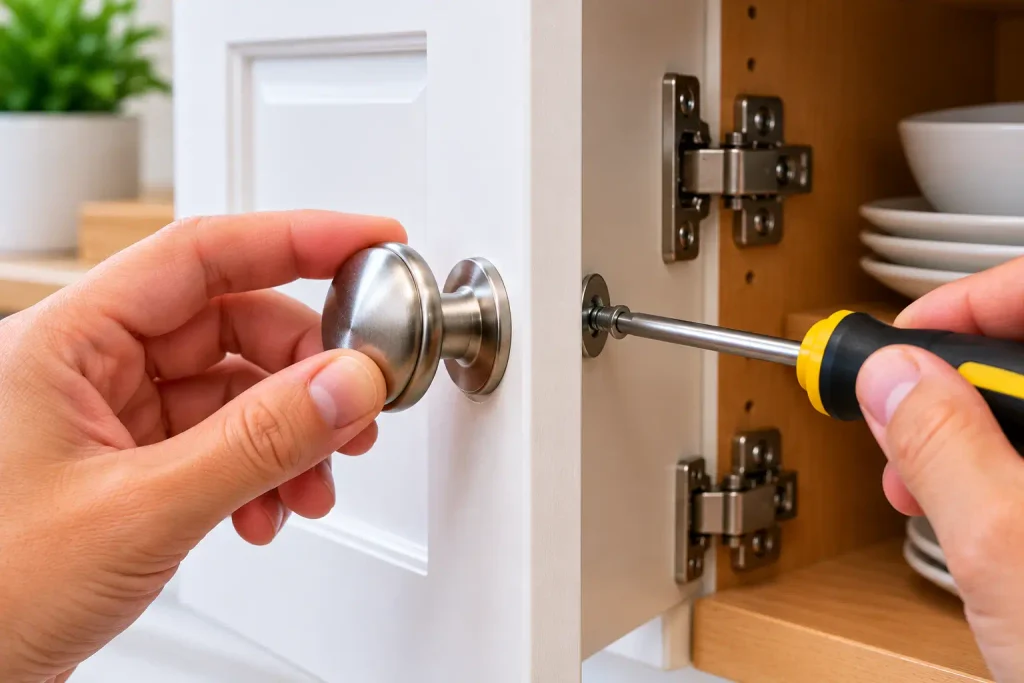
Follow these steps:
- Hold the knob from the outside of the cabinet.
- Remove the mounting screw from the inside.
- Take off the old knob and keep the screw for comparison.
- Choose a replacement that matches the mounting arrangement and screw requirements.
- Check that the new knob sits flat against the cabinet surface.
- Install the compatible screw and tighten it until the knob is secure.
For glass, ceramic, or other delicate knobs, use extra care and avoid excessive tightening. Follow the manufacturer’s instructions for installation.
After fitting the replacement, open and close the cabinet door or drawer several times to check that the knob remains secure.
Quick Troubleshooting Guide
| Problem | Possible cause | What to try |
|---|---|---|
| Knob wobbles slightly | Loose screw | Tighten gently |
| Knob will not sit flush | Screw length or mounting mismatch | Check compatibility |
| Screw keeps turning | Damaged screw or knob threads | Inspect and replace the damaged part |
| Knob repeatedly loosens | Incorrect fit or worn hardware | Check mounting components |
| Cabinet material around the hole is damaged | Enlarged or weakened mounting area | Use a material-appropriate repair |
| Knob is cracked | Damaged hardware | Replace the knob |
These are starting points, not guaranteed diagnoses. Inspect the actual hardware before deciding which repair to use.
Common Mistakes to Avoid
Avoid these mistakes when tightening a loose cabinet knob:
- Overtightening the screw: Excessive force can damage the knob, screw threads, or cabinet surface.
- Using the wrong screwdriver: A poor fit can strip the screw head.
- Installing an incompatible screw: Incorrect diameter or threading can prevent a secure connection.
- Adding washers without checking the fit: An unsuitable washer can interfere with the mounting arrangement.
- Using permanent glue as a quick fix: Adhesives may make future removal difficult and can damage some finishes.
- Ignoring cracks or damaged threads: Tightening alone will not repair broken hardware.
- Pulling hard on the knob to test it: Use gentle pressure to check that the installation is secure.
How to Prevent Cabinet Knobs From Becoming Loose Again
A few simple habits can help reduce repeat problems:
- Check loose or wobbling knobs during routine home maintenance.
- Tighten a loose screw when you first notice movement.
- Open cabinets by gripping the knob normally rather than pulling sideways.
- Replace cracked knobs and visibly damaged screws.
- Use compatible replacement hardware when changing knobs.
- Avoid excessive force when opening drawers and cabinet doors.
You can include this check in your monthly home maintenance checklist.
Frequently Asked Questions
How do you tighten a loose cabinet knob?
Open the cabinet door or drawer and locate the mounting screw on the inside. Hold the knob steady and tighten the screw with a correctly sized screwdriver until the knob feels secure. Stop before overtightening.
Why does my cabinet knob keep coming loose?
The screw may be unsuitable or damaged, the knob’s threads may be worn, or a required washer or spacer may be missing. Inspect the mounting hardware before tightening it again.
What should I do if the cabinet knob screw keeps spinning?
Remove the screw carefully and inspect both the screw threads and the threaded opening in the knob. Replace the damaged component if necessary. If the mounting hole in the cabinet itself is damaged, choose a repair appropriate for the cabinet material.
Can I use glue to stop a cabinet knob from coming loose?
Glue is not the best first solution. It can make future removal difficult and may damage the cabinet finish. First check the screw, threads, mounting fit, and any required washers or spacers.
Should I replace a loose cabinet knob or repair it?
If the screw is simply loose, tightening it may be enough. If the knob is cracked, its threads are damaged, or it cannot be secured with compatible hardware, replacing it is usually more practical.
Can I tighten a cabinet knob without removing it?
Yes, if the mounting screw is accessible from inside the cabinet or drawer. Hold the knob steady and tighten the screw gently. If it still moves, remove it to inspect the hardware.
Final Thoughts
Learning how to tighten a loose cabinet knob can help you solve a small but annoying household problem without replacing the entire cabinet. Start by tightening the existing screw, then check the screw length, washers, threads, and mounting area if the knob remains loose.
If the knob is cracked or its threads are damaged, replace it with compatible hardware. A careful inspection and gentle tightening can help restore a secure fit while protecting the cabinet finish.