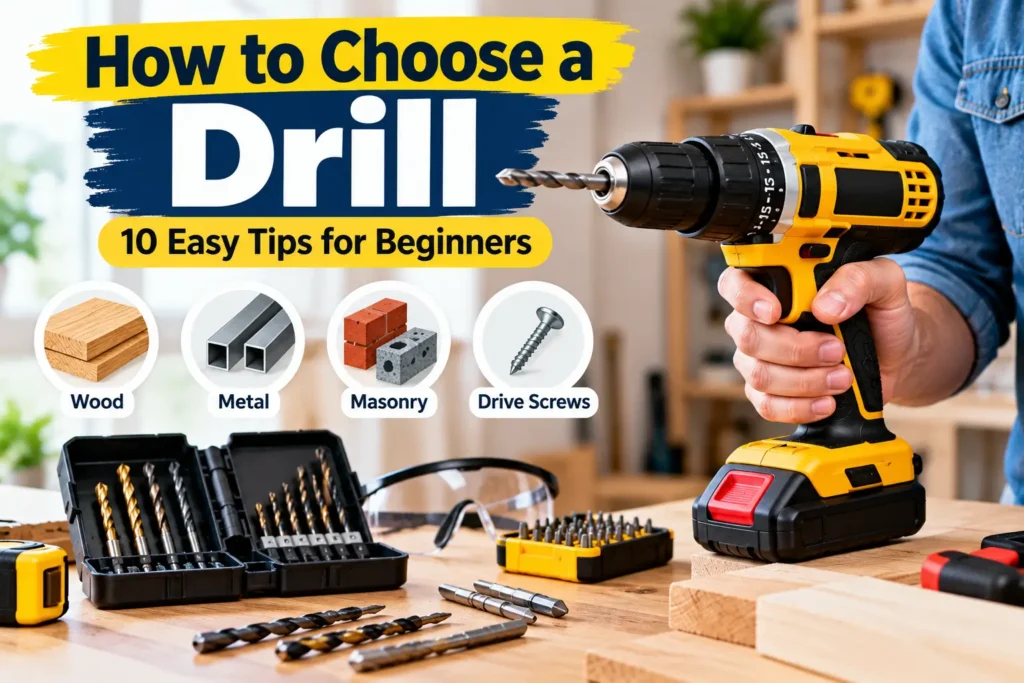
How to choose a drill depends on what you plan to build, repair, or install. A basic drill can handle many everyday home projects, but different drills are designed for different materials and jobs.
If you’re buying your first drill, you don’t necessarily need the most powerful or expensive model. The right choice depends on the type of work you expect to do, how often you’ll use the tool, and whether you need features such as hammer action, variable speed, or adjustable torque.
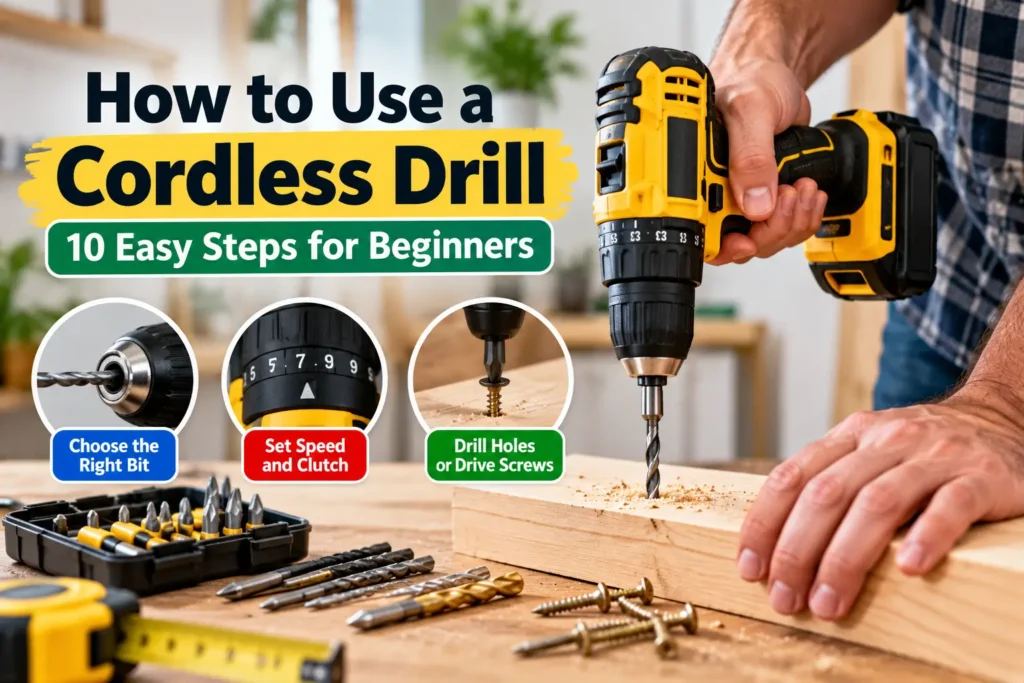
If you’re new to using power tools, you may also want to read our guide on How to Use a Cordless Drill: 10 Easy Steps for Beginners to learn the basics before starting your first project.
In this guide, we’ll explain how to choose a drill by looking at the most important features and helping you decide which type is suitable for your projects.
What Is a Drill Used For?
A drill is primarily used to make holes in materials such as:
- Wood
- Plastic
- Metal
- Masonry, when using a suitable drill and bit
- Drywall and other lightweight materials
For a practical example, see our guide on How to Fix a Wobbly Table: 6 Easy Methods where a drill can be useful for tightening and securing furniture components.
Many modern drills can also drive screws when fitted with the appropriate bit.
For additional drill safety guidance, see DEWALT’s power tool safety guides, which include safety information for drill/drivers and hammer drills
For simple household jobs such as assembling furniture, installing shelves, making pilot holes, or driving screws, a cordless drill/driver is often a practical choice.
How to Choose a Drill: 10 Things to Check
1. Decide What You Will Use the Drill For
Before looking at specifications, think about your typical projects.
Ask yourself:
- Will I mostly drill into wood?
- Do I need to drill metal?
- Will I be driving screws?
- Do I need to drill into brick or masonry?
- Will I use the drill occasionally or frequently?
- Do I need to work away from a power outlet?
For general household tasks, a cordless drill/driver is usually versatile enough for many basic projects.
If you regularly need to drill masonry, you may want a model with a hammer function or a dedicated hammer drill, depending on the material and workload.
2. Choose Between Cordless and Corded
One of the first decisions is whether you want a cordless or corded drill.
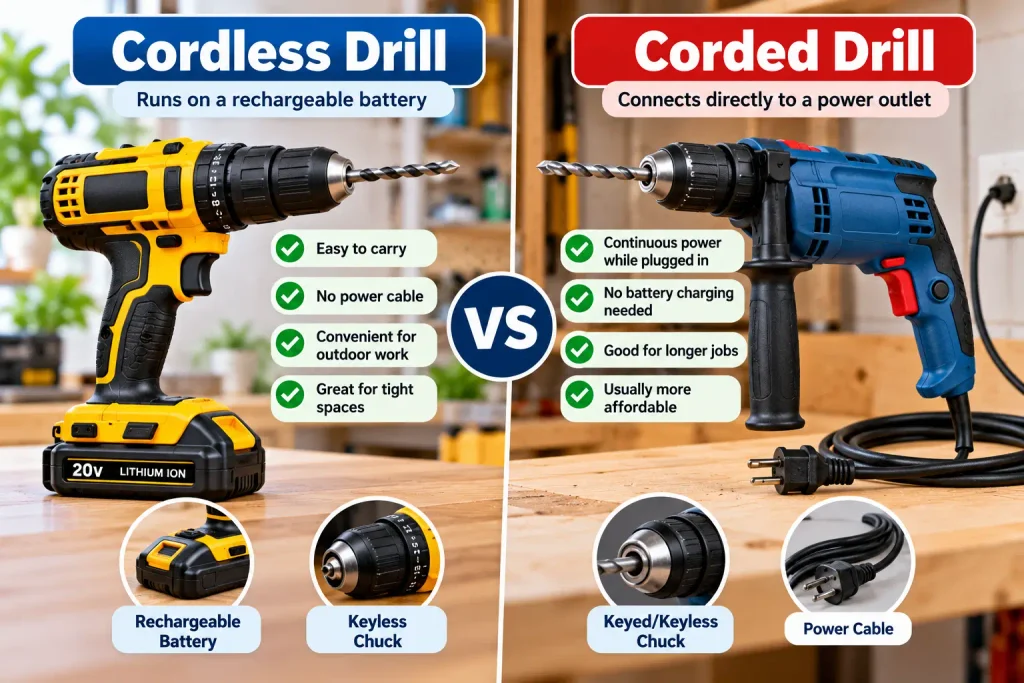
Cordless Drill
A cordless drill runs on a rechargeable battery.
Advantages:
- Easy to carry
- No power cable
- Convenient for outdoor work
- Easy to use in tight spaces
Considerations:
- Battery needs charging
- Runtime depends on the battery
- Heavier batteries can add weight
Corded Drill
A corded drill connects directly to an electrical outlet.
Advantages:
- Continuous power while plugged in
- No battery charging
- Useful for longer jobs
Considerations:
- Requires access to a suitable power outlet
- Less convenient to move around
- The cord can get in the way
For occasional home DIY work, convenience may make a cordless model attractive. For long, stationary jobs, corded tools can still be useful.
3. Check the Drill’s Power
Power specifications vary depending on the type of drill.
For cordless drills, you’ll commonly see battery voltage listed in volts (V).
Battery voltage is only one part of the picture. Chuck size, motor design, torque, speed settings, battery capacity, and the type of work you plan to do also affect how suitable a drill is for a project.
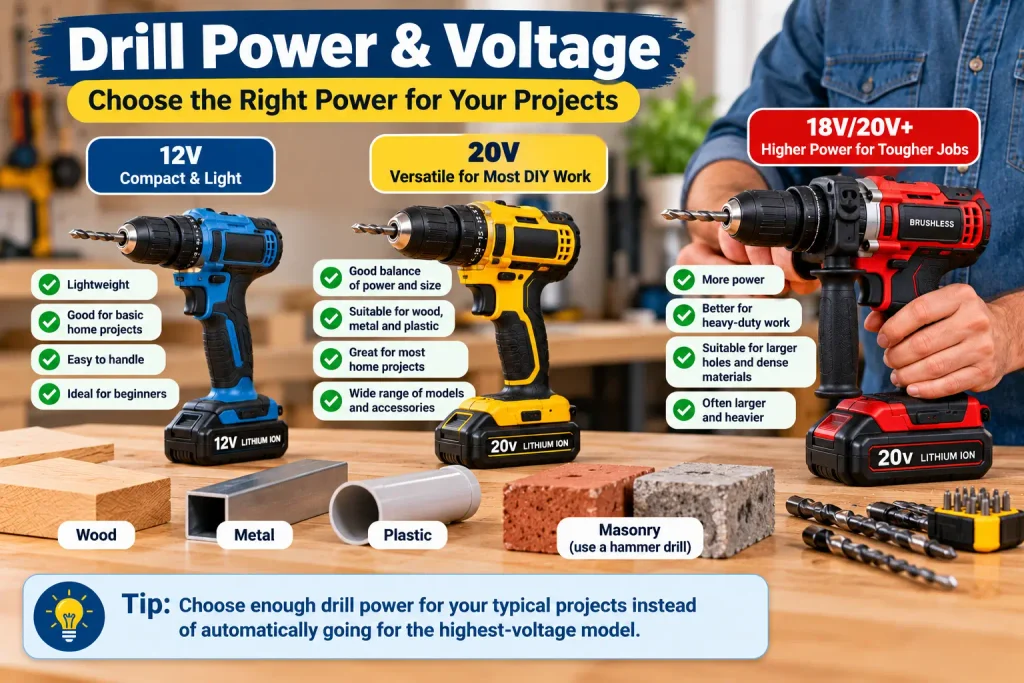
For example, you may encounter compact drills designed for lighter tasks and higher-voltage models intended for more demanding work.
Don’t assume that the highest voltage automatically means the best drill for you.
A more powerful drill may also be:
- Heavier
- Larger
- More expensive
For basic household projects, choose enough power for your typical materials rather than buying the largest model available.
4. Look at Chuck Size and Type
The chuck is the part of the drill that holds the drill bit or driver bit.
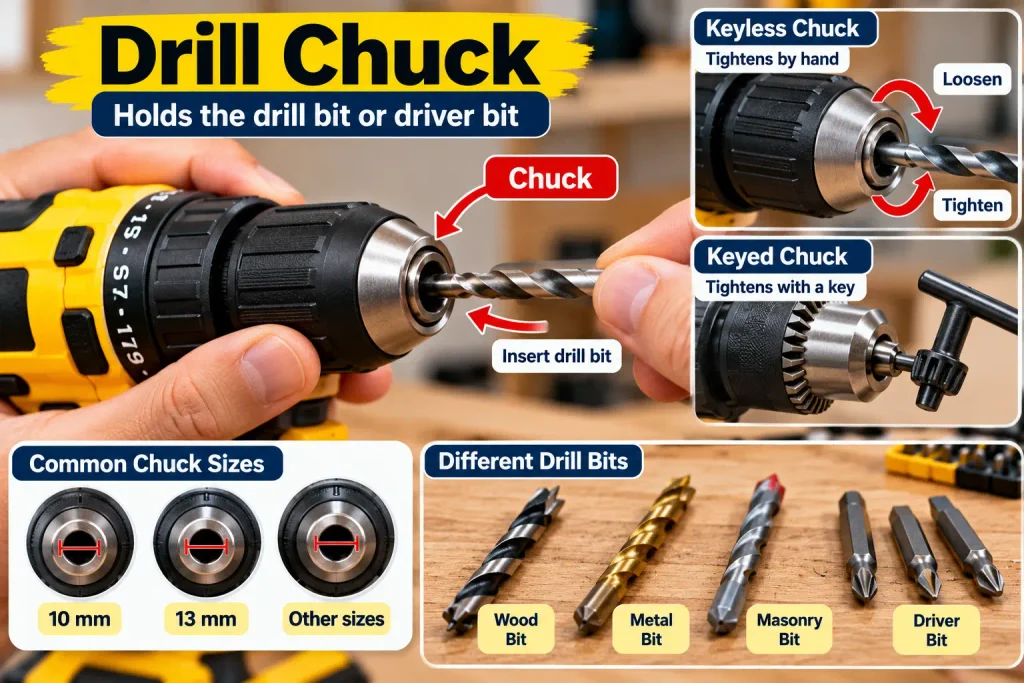
Common chuck sizes include:
- 10 mm
- 13 mm
- Other sizes depending on the tool
A larger chuck can accommodate larger-diameter bits, depending on the drill’s specifications.
Keyless Chuck
A keyless chuck can usually be tightened by hand.
This is convenient for everyday DIY work because you don’t need a separate chuck key.
Before buying a drill, check what chuck size and bit compatibility the manufacturer specifies.
Keyed Chuck
A keyed chuck uses a chuck key to tighten and loosen the grip around the drill bit. It can provide a secure hold, but you need to keep track of the chuck key when changing bits.
5. Check Variable Speed Settings
Variable speed can make a drill easier to control.
A drill with variable speed allows you to adjust the speed depending on the task and material.
Lower speeds can be useful when you need more control, while higher speeds may be suitable for certain drilling applications.
Don’t simply run the drill at maximum speed for every job.
Always follow the drill and drill-bit manufacturer’s recommendations for the material you’re working with.
6. Look for Adjustable Torque
Torque control is especially useful when using a drill to drive screws.
Many cordless drill/drivers have an adjustable clutch with multiple torque settings.
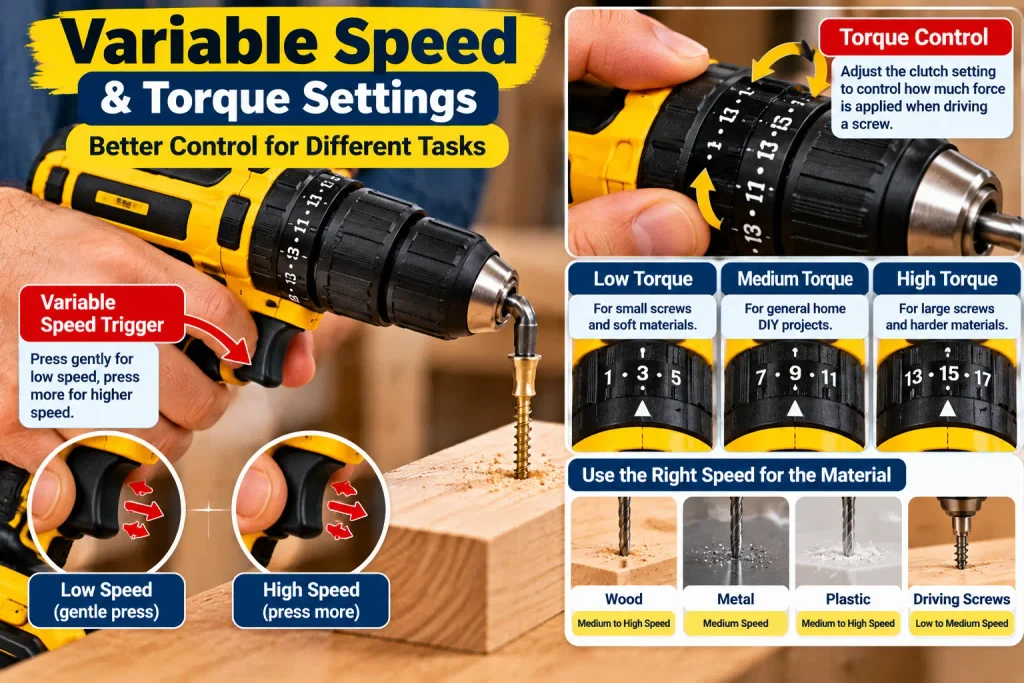
This helps you control how much force is applied when driving a screw.
Too much torque can:
- Strip a screw head
- Damage the material
- Drive a screw too deeply
- Damage the fastener
Start with a lower setting and increase it gradually if necessary.
7. Decide Whether You Need Hammer Action
If you need to drill into masonry, hammer action may be an important feature.
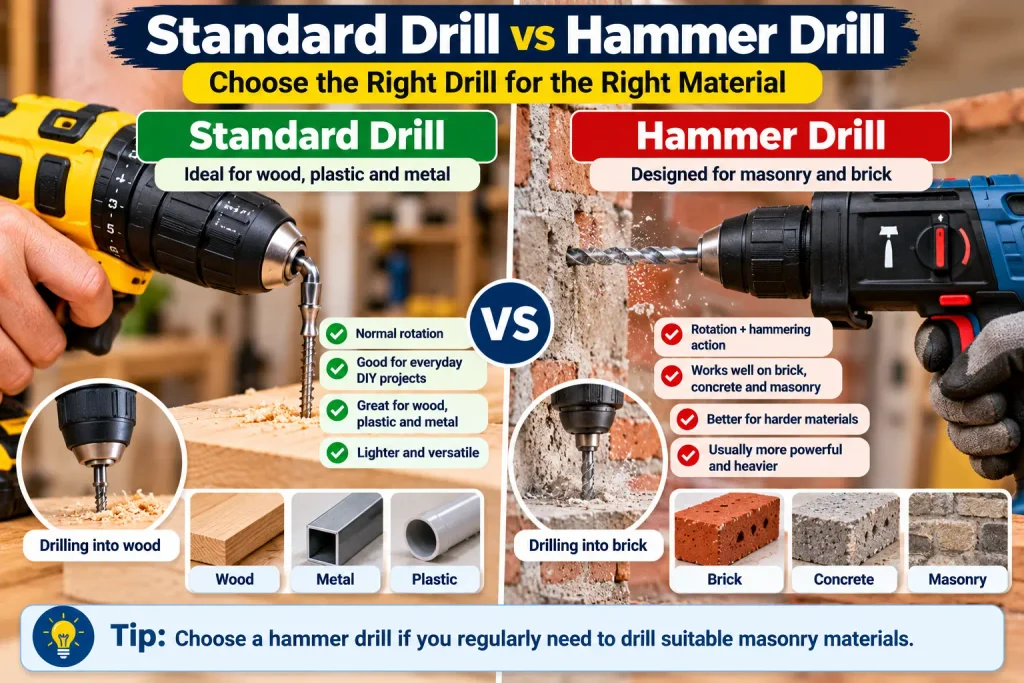
A hammer drill combines normal rotation with a hammering action designed to help drill into suitable masonry materials.
However, hammer drills are not automatically the best choice for every masonry job.
For heavier concrete drilling, a rotary hammer may be more appropriate.
If most of your projects involve wood, plastic, or metal, you may not need hammer action at all.
For additional guidance on safe drilling practices, see OSHA’s guidance on using electric drills and other power tools. OSHA recommends using the correct tool for the task, maintaining tools properly, and avoiding excessive force when drilling
8. Consider Brushless vs. Brushed Motors
You may see drills advertised with either brushless or brushed motors.
Brushless Motors
Brushless motors generally offer:
- Efficient operation
- Good electronic control
- Potentially longer motor life
- Less routine brush replacement
If you use your drill regularly, work for longer periods, or already own tools from a compatible battery platform, a brushless model may be worth the additional cost.
They can also increase the price of the tool.
Brushed Motors
Brushed drills can still be perfectly useful for occasional DIY work and may cost less.
If you use a drill frequently or want a more advanced tool, a brushless model may be worth considering.
For occasional household jobs, don’t choose a drill solely because it has a brushless motor.
9. Check the Battery and Charging System
If you choose a cordless drill, the battery is an important part of the purchase.
Check:
- Battery voltage
- Battery capacity
- Charging time
- Number of batteries included
- Availability of replacement batteries
- Compatibility with other tools from the same battery platform
A drill that comes with one battery may be fine for occasional use.
For frequent DIY work, having a second compatible battery can be convenient because one battery can charge while the other is being used.
10. Don’t Ignore Comfort and Safety Features
A drill can have excellent specifications but still be uncomfortable to use.
Before buying, consider:
- Overall weight
- Handle shape
- Grip
- Balance
- Trigger control
- LED work light
- Battery position
- Forward/reverse switch
If possible, hold the drill before purchasing it.
A comfortable tool is easier to control, especially when you’re working overhead or in awkward positions.
Safety should also be part of your decision. Look for a drill that feels stable in your hand and has controls you can operate without changing your grip unnecessarily.
Which Drill Is Best for Different Jobs?
| Project | Suitable Drill Type |
|---|---|
| Assemble furniture | Cordless drill/driver |
| Drive screws | Cordless drill/driver |
| Drill wood | Drill/driver |
| Drill plastic | Drill/driver |
| Drill metal | Suitable drill with appropriate bits |
| Drill brick/masonry | Hammer drill, depending on material |
| Heavy concrete work | Rotary hammer may be more appropriate |
| Long stationary jobs | Corded drill can be useful |
| Occasional household repairs | Compact cordless drill/driver |
Always check the tool manufacturer’s specifications before using a drill on a particular material.
Drill Safety Tips for Beginners
Before using a drill, keep these basic safety tips in mind:
- Wear appropriate eye protection when drilling.
- Use the correct drill bit for the material.
- Make sure the bit is securely tightened in the chuck.
- Secure the workpiece when possible so it cannot move while drilling.
- Start at a controlled speed and increase it only when appropriate for the material.
- Do not force the drill or apply excessive pressure. Let the bit do the work.
- Keep your hands away from the rotating bit.
- Unplug a corded drill or follow the manufacturer’s instructions before changing bits or performing adjustments.
- Check the drill, battery, cord, chuck, and bit for visible damage before use.
- Follow the manufacturer’s instructions for the drill and accessories.
What Size Drill Should a Beginner Buy?
For many basic home projects, a compact cordless drill/driver can be a practical starting point.
Look for:
- Comfortable grip
- Variable speed
- Adjustable clutch
- Keyless chuck
- Forward/reverse control
- LED work light
- A suitable battery system
You don’t need every advanced feature if you’re mainly assembling furniture, installing small fixtures, or making holes in wood.
Choose a drill that matches your actual projects.
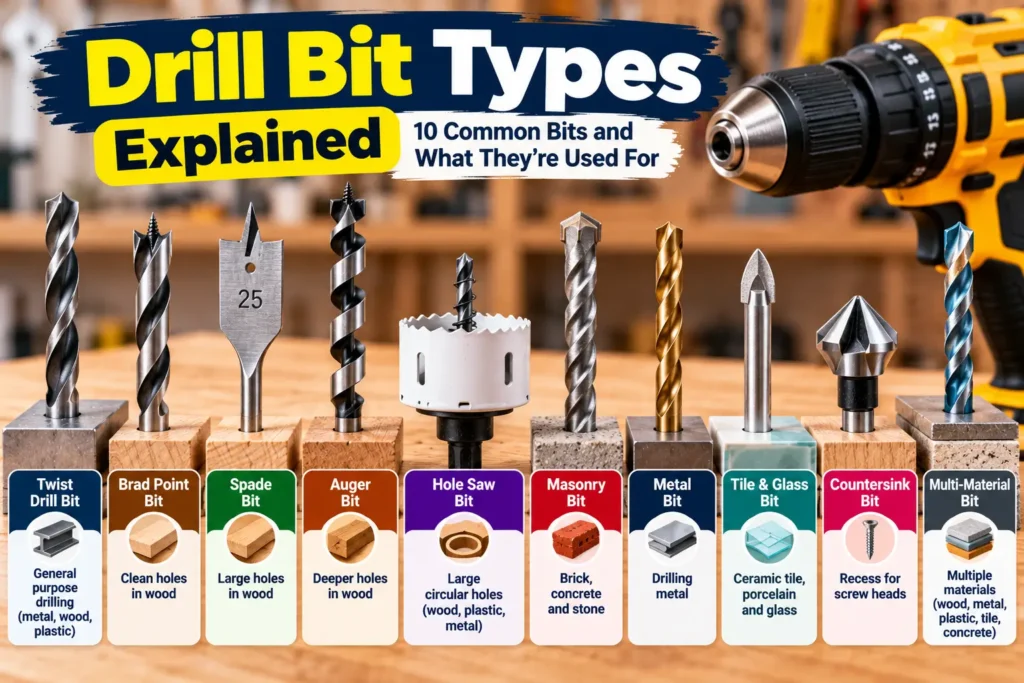
What Drill Bits Do You Need?
Choosing the drill is only part of the job. You also need the correct bit for the material.
| Bit Type | Common Use |
|---|---|
| Wood bit | Wood and wood-based materials |
| Twist/metal bit | Metal and some plastics |
| Masonry bit | Brick and masonry |
| Driver bit | Driving screws |
Common types include:
Wood Bits
Designed for drilling into wood and wood-based materials.
Metal Bits
Designed for drilling suitable metals.
Masonry Bits
Designed for materials such as brick and masonry when used with a compatible drill.
Driver Bits
Used for driving screws rather than drilling holes.
Using the wrong bit can produce poor results and may damage the bit, material, or tool.
Common Mistakes When Choosing a Drill
Avoid these mistakes:
- Buying the most powerful drill without considering your needs
- Ignoring the drill’s weight
- Choosing a battery system without checking replacement availability
- Forgetting to check chuck size
- Buying a hammer drill when you only need a basic drill/driver
- Ignoring torque settings
- Choosing a tool without considering the bits you’ll need
- Focusing only on price
- Buying a drill that feels uncomfortable in your hand
The best drill is not necessarily the most expensive one. It is the one that matches your work.
How Much Should You Spend on a Drill?
There isn’t one correct budget for everyone.
A basic drill may be enough for occasional household repairs, while a more advanced brushless model may make sense for frequent DIY projects.
Before comparing prices, decide which features you actually need.
For example:
Occasional DIY:
Compact cordless drill/driver with basic speed and torque control.
Regular DIY:
Better battery system, stronger motor, improved ergonomics, and additional features.
Heavy-duty work:
Consider specialized tools such as hammer drills or rotary hammers depending on the material and application.
Don’t pay extra for features you’ll rarely use.
Drill Buying Checklist
Before buying, check these points:
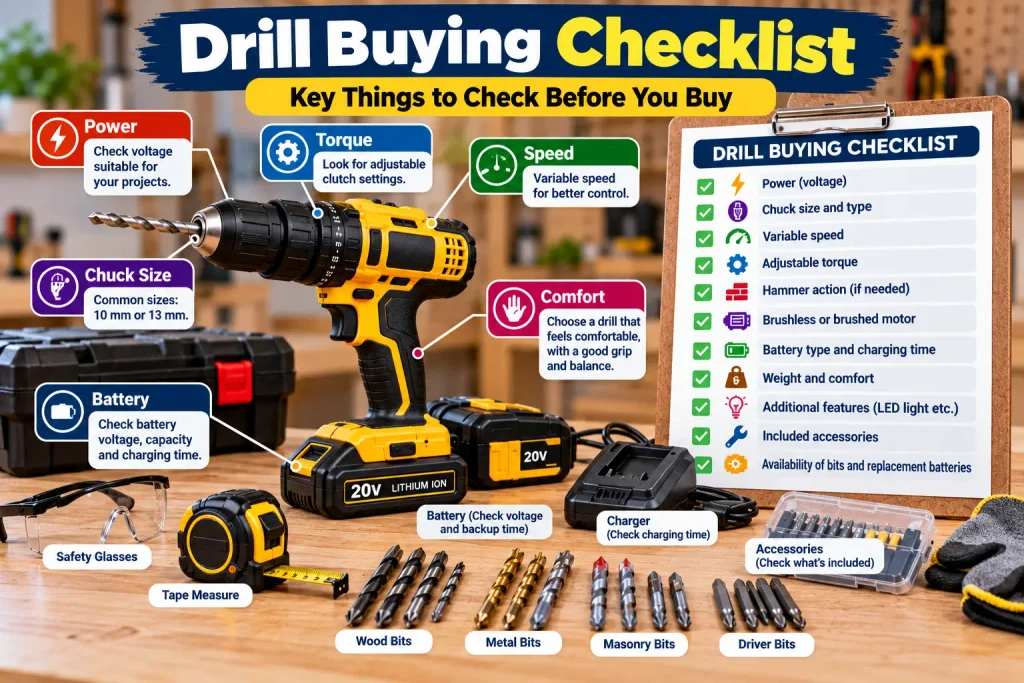
- What materials will I drill?
- Do I need cordless or corded?
- Is the drill powerful enough for my projects?
- What chuck size does it use?
- Does it have variable speed?
- Does it have adjustable torque?
- Do I need hammer action?
- What type of battery does it use?
- Is the drill comfortable to hold?
- Are compatible bits and replacement batteries easy to find?
- Does the tool come with the accessories I actually need?
Once you have the right drill, regular home maintenance becomes easier. For more DIY maintenance ideas, check our Monthly Home Maintenance Checklist.
When Should You Choose a Different Tool?
A standard drill isn’t the right tool for every job.
You may need a different tool when:
- You’re drilling large holes through heavy masonry
- You’re doing extensive concrete drilling
- You need a dedicated impact driver for frequent screw-driving work. An impact driver is designed primarily for driving screws and fasteners and can be useful when you frequently drive long or large screws.
- You’re working with specialized materials
- The project requires a tool you aren’t trained to operate safely
If you’re unsure which tool is appropriate, check the manufacturer’s recommendations for the material and application.
Frequently Asked Questions
What is the best drill for a beginner?
For many basic home projects, a compact cordless drill/driver with variable speed, adjustable torque, and a keyless chuck is a practical starting point.
Is a cordless drill better than a corded drill?
Neither is automatically better. A cordless drill offers convenience and portability, while a corded drill can provide continuous power without battery charging.
What voltage drill should I buy?
Choose a voltage appropriate for your typical projects rather than simply choosing the highest voltage. More power can also mean more weight and size.
Do I need a hammer drill?
You may want hammer action if you regularly need to drill suitable masonry. If most of your projects involve wood, plastic, or metal, a standard drill/driver may be enough.
Is a brushless drill worth it?
A brushless drill can be a good choice for frequent DIY use, but occasional users may not need to pay extra for the feature.
Can I use a drill as a screwdriver?
Yes. Many drill/drivers can drive screws when used with the appropriate driver bit and a suitable torque setting.
What should I check before buying a cordless drill?
Check its weight, battery system, chuck size, speed control, torque settings, ergonomics, included accessories, and compatibility with the work you plan to do.
Is a drill and drill/driver the same thing?
A drill/driver is a versatile tool that can both drill holes and drive screws. Many cordless models sold for home DIY are drill/drivers.
Can I drill into concrete with a regular drill?
A regular drill may handle some light masonry work with the correct bit, but harder or more extensive concrete drilling usually requires a hammer drill or rotary hammer designed for the application.
Final Takeaway
How to choose a drill becomes much easier when you start with the type of work you actually plan to do.
For general household DIY, a comfortable cordless drill/driver with variable speed, adjustable torque, and a suitable chuck can handle many everyday tasks.
If you need to work with masonry or concrete, look beyond a basic drill and choose a tool designed for that material.
Don’t buy based on power or price alone. Consider the drill type, chuck, speed, torque, battery, weight, comfort, and the materials you’ll be working with.
The right drill is the one that gives you enough capability for your projects without adding unnecessary cost, weight, or complexity.